
Tracking Spending by Hand vs. Using a Budgeting App
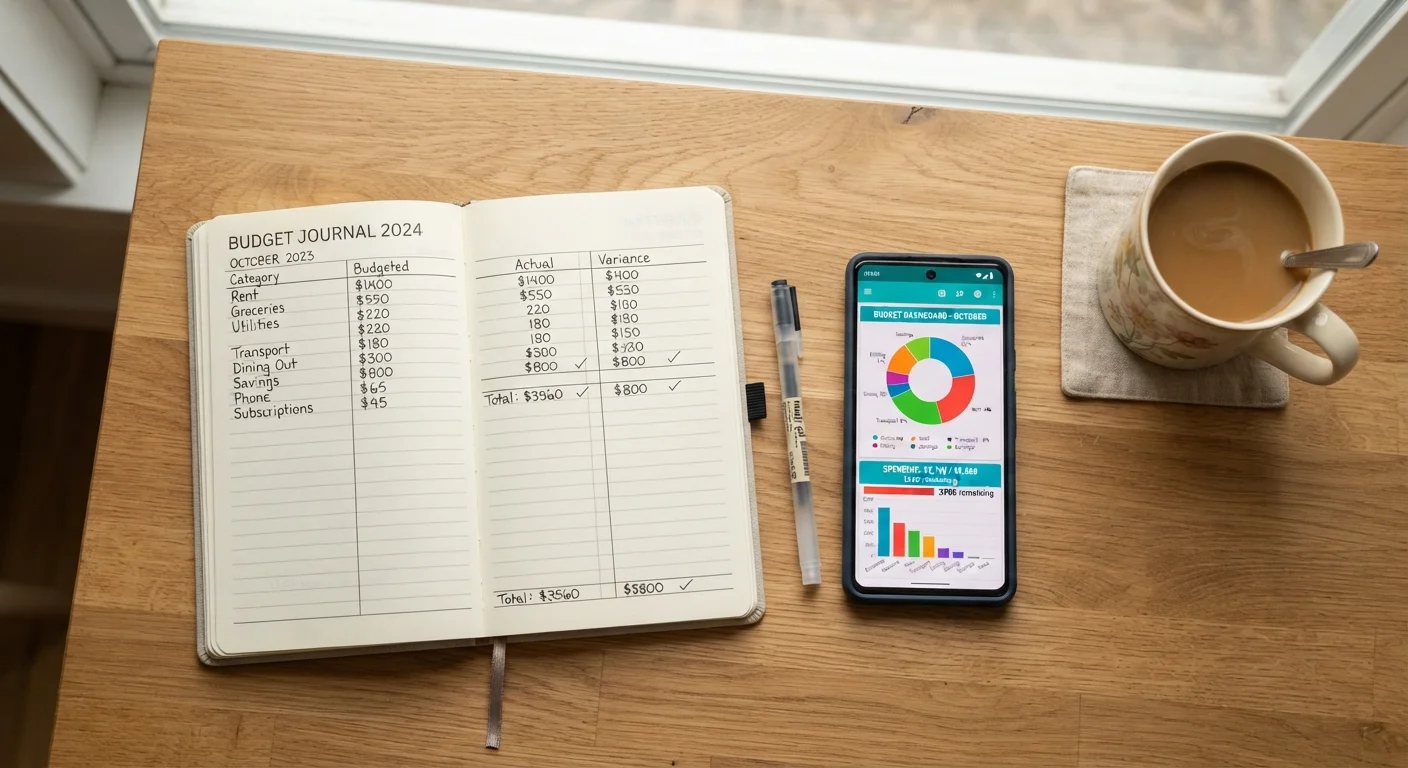
Photo credit: TopInfoTabs.com | Easy Insights For Inspiration
In this article
Spreadsheets and notebooks vs. automated apps — a balanced look at both approaches to monitoring your day-to-day spending.
Key Takeaways
- Manual tracking builds stronger spending awareness through deliberate, hands-on record-keeping.
- Budgeting apps automate categorization but require consistent account oversight to stay accurate.
- Your ideal method depends on your spending complexity, tech comfort, and habit-formation style.
- Both approaches work best when reviewed regularly - ideally at least once a month.
- Hybrid strategies that combine elements of both methods are a viable and often effective option.
Why Your Tracking Method Matters More Than You Think
Monitoring day-to-day spending is the foundation of any functional personal budget. Without an accurate picture of where your money goes, even a well-designed budget plan stalls. The question isn't simply whether to track - it's how to track in a way you'll actually sustain.
Two broad camps dominate: manual tracking (notebooks, spreadsheets, pen and paper) and dedicated budgeting apps (software that imports and categorizes transactions automatically). Each has distinct cognitive, behavioral, and practical trade-offs. This article lays them out side by side so you can identify which approach - or which combination - fits your real life. For a broader framework on putting tracking into practice, see our complete personal budgeting guide.
| Criterion | Tracking by Hand | Budgeting App |
|---|---|---|
| Setup effort | Low - notebook or spreadsheet | Moderate - account linking required |
| Ongoing time commitment | Higher - manual entry needed | Lower - auto-imports reduce entry |
| Spending awareness depth | High - deliberate engagement | Variable - depends on review habits |
| Data privacy | Full control - no third parties | Third-party access required |
| Accuracy risk | Missed entries if inconsistent | Miscategorized transactions |
| Cost | Minimal or free | Free to paid tiers available |
| Best for complex finances | Can become unwieldy | Handles multiple accounts well |
Tracking by Hand: Strengths and Limitations
Manual tracking - whether in a dedicated notebook, a printed ledger, or a self-built spreadsheet - forces you to engage with every transaction. Research in behavioral finance consistently links the act of writing out expenditures to greater spending awareness, sometimes described as a "pain of paying" effect: when you record a purchase deliberately, it registers more consciously than a frictionless card tap.
Key advantages:
- Deep engagement: Every entry is an intentional act, which strengthens awareness of spending patterns over time.
- No data-sharing required: Your financial information stays entirely within your control - no third-party logins or account links.
- Full customization: You design the categories, layout, and review rhythm without adapting to someone else's software logic.
- Low cost: A notebook or a basic spreadsheet program costs little to nothing.
Limitations to consider:
- Manual entry is time-intensive. Missing even a few days can create gaps that undermine accuracy.
- Categorizing cash transactions, split purchases, or reimbursements requires consistent personal judgment.
- There are no automated alerts for overspending - you have to review proactively.
If you're comparing budgeting philosophies alongside tracking methods, our article on zero-based budgeting vs. the envelope method explores how the structure of your budget interacts with how you record it.
~33%
Adults who follow a detailed budget
Gallup polling has consistently found that roughly one-third of U.S. adults maintain a detailed household budget, suggesting most people lack a structured tracking system of any kind.
2x
Recall improvement with written records
Cognitive psychology research suggests that writing information by hand improves later recall compared to typed or passive recording, supporting the case for manual spending logs.
Budgeting Apps: Strengths and Limitations
Budgeting apps that connect to your bank accounts and credit cards can pull in transactions automatically, categorize them, and generate spending summaries in real time. For people managing several accounts or irregular income, that consolidation can be genuinely valuable.
Key advantages:
- Automation reduces friction: Transactions import without manual entry, making it easier to stay current even during busy periods.
- Instant visibility: Many apps surface trends and anomalies - such as a category running over budget - before month-end.
- Historical data: Months of categorized history make it easier to spot seasonal patterns and plan ahead.
- Alerts and reminders: Push notifications can flag unusual charges or low balances without you checking manually.
Limitations to consider:
- Apps require you to link financial accounts, which involves granting third-party access to sensitive data. Review any app's privacy and security practices before connecting accounts.
- Automated categorization is imperfect - miscategorized transactions need periodic correction to keep reports meaningful.
- Subscription fees apply to some services, adding a recurring cost.
- App-based tracking can create passive engagement: seeing charts without analyzing them provides less insight than deliberate review.
Whichever method you use, pairing it with a structured monthly review makes a meaningful difference. Our end-of-month budget review checklist walks through exactly what to examine each month. Separately, if automation appeals to you beyond just tracking, see how automating your savings can complement your tracking system.
Choosing - or Combining - Both Approaches
The most effective tracking method is the one you consistently maintain. For some people, that's a handwritten ledger reviewed every Sunday. For others, it's an app glanced at daily on a commute. Neither is inherently superior - what matters is that your chosen method produces accurate data and prompts genuine reflection.
A hybrid approach is worth considering: use an app to capture digital transactions automatically, then do a brief weekly manual review where you write out totals by category. This preserves the automation benefit while rebuilding the deliberate engagement that manual tracking delivers. Once your spending picture is clear, the next step is putting those patterns to work - our guide on building a savings strategy around your spending patterns shows how to move from tracking to meaningful saving.
A Note on App Security Due Diligence
If you choose a budgeting app that links to financial accounts, look for apps that use read-only access and strong encryption standards. Review the app's privacy policy to understand how your data is stored, shared, and used. Many reputable apps use established aggregation services that follow industry security standards, but it's worth verifying before connecting sensitive accounts.
This article is for general informational and educational purposes only and does not constitute personalized financial advice. Consult a qualified financial professional for guidance specific to your situation.

Author
Money & Finance Editorial Team
Money & Finance Editorial Team is the collective byline for our editorial team and contributor network. Articles published under this byline or an editorial pen name are researched, written, and reviewed according to our editorial standards for clarity, consistency, and independence before publication.
View all articles →