
Habits That Quietly Shorten a Smartphone's Lifespan
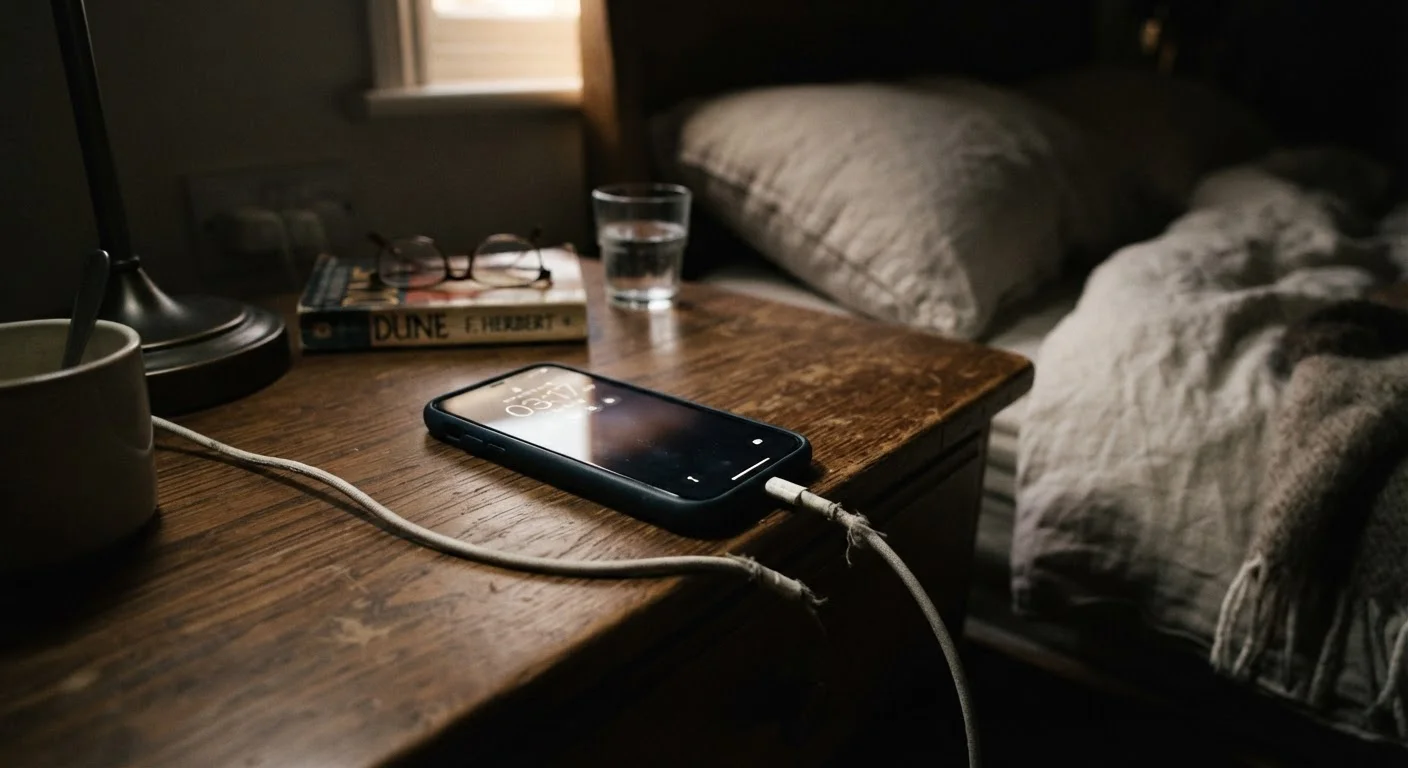
Photo credit: TopInfoTabs.com | Easy Insights For Inspiration
Overnight charging, cheap cables, and ignoring updates — common routines that gradually degrade phone performance in ways users rarely notice.
Key Takeaways
- Keeping a phone charged at 100% for extended periods accelerates lithium-ion battery degradation.
- Uncertified or damaged charging cables can cause inconsistent power delivery and long-term port damage.
- Skipping software updates leaves devices exposed to security vulnerabilities and unresolved performance bugs.
- Excess heat - from direct sunlight, cases that trap warmth, or heavy gaming - is one of the fastest ways to shorten battery life.
- Ignoring available storage thresholds slows down the processor and can corrupt system files over time.
Why Small Habits Add Up to Big Damage
Smartphones are built to last - but the daily habits surrounding their use often work quietly against that design. Unlike a cracked screen or a sudden hardware failure, habit-driven degradation is gradual. Performance slows, battery life shortens, and charging becomes unreliable, all without a clear moment the user can point to as the cause.
Understanding the mechanics behind these habits makes the fixes straightforward. Most of the changes that extend a phone's lifespan require no accessories, no technical knowledge, and only minor adjustments to routine. The same principle applies to other technology: consistent small decisions compound over time, much like the habits that affect laptop battery health over months and years.
Leaving the phone plugged in at 100% charge all night, every night.
Why it happens: Overnight charging is convenient, and most people assume modern phones stop drawing power once full. While many phones do throttle charging near 100%, holding a lithium-ion battery at peak charge for hours still accelerates electrochemical stress.
Using cheap, uncertified, or fraying charging cables without a second thought.
Why it happens: Replacement cables are inexpensive and widely available, so users often prioritize price or convenience over quality. A cable that physically fits the port feels like it should work fine.
Postponing or permanently dismissing software update notifications.
Why it happens: Updates interrupt routine, sometimes take several minutes, and users worry they will change something familiar. The actual content of updates - security patches, memory management improvements, bug fixes - is rarely visible to the end user.
Regularly exposing the phone to high temperatures - in direct sunlight, hot cars, or under a heavy case during demanding tasks.
Why it happens: Most people are aware that extreme cold can temporarily affect battery performance, but heat damage is less intuitive because it accumulates gradually rather than causing an immediate, visible failure.
Ignoring low-storage warnings until the phone is nearly full.
Why it happens: Storage fills up slowly - photos, app caches, downloaded files - and users often don't notice until the phone begins to lag. The connection between storage saturation and performance degradation isn't obvious.
Skipping protective cases or screen protectors and setting the phone face-down on hard surfaces.
Why it happens: Slim, case-free phones are popular, and small scratches or hairline cracks often seem purely cosmetic at first. The physical damage to screens and camera lenses accumulates before users consider it a real problem.
Protecting Your Phone Going Forward
The habits above share a common thread: they're invisible in the short term. A phone kept at 100% charge every night doesn't fail the next morning. Storage that creeps toward capacity doesn't immediately freeze the device. But each habit shifts the trajectory of the phone's useful life - often by months, sometimes longer.
Heat Is the Silent Battery Killer
Sustained exposure to high temperatures is one of the most damaging things a lithium-ion battery can experience. Running processor-intensive apps while charging, leaving a phone on a hot car dashboard, or using a thick case during heavy use can all push internal temperatures into ranges that permanently reduce battery capacity. If your phone regularly feels hot to the touch during normal use, that's a sign worth acting on - not ignoring.
Software hygiene is equally easy to overlook. Beyond new features, updates carry security patches and optimizations that affect how efficiently the phone manages resources. For a privacy-conscious angle on keeping your phone well-maintained, balancing privacy settings without losing useful functionality is a practical companion read.
Uncertified Cables Carry Real Risks
Not all charging cables are created equal. Cables lacking proper certification can deliver unstable voltage, which stresses the battery and charging circuitry over time. In rare cases, poorly made cables have been linked to overheating. Checking for appropriate certification markings - such as USB-IF certification for USB cables - is a straightforward way to reduce this risk.
Ultimately, the goal isn't perfection - it's awareness. Knowing which habits cause wear makes it easier to change the few that matter most, while continuing to use the device freely for everything else.

Author
Tech & Gadgets Editorial Team
Tech & Gadgets Editorial Team is the collective byline for our editorial team and contributor network. Articles published under this byline or an editorial pen name are researched, written, and reviewed according to our editorial standards for clarity, consistency, and independence before publication.
View all articles →