
Mesh Wi-Fi vs. Traditional Router and Extender Setups
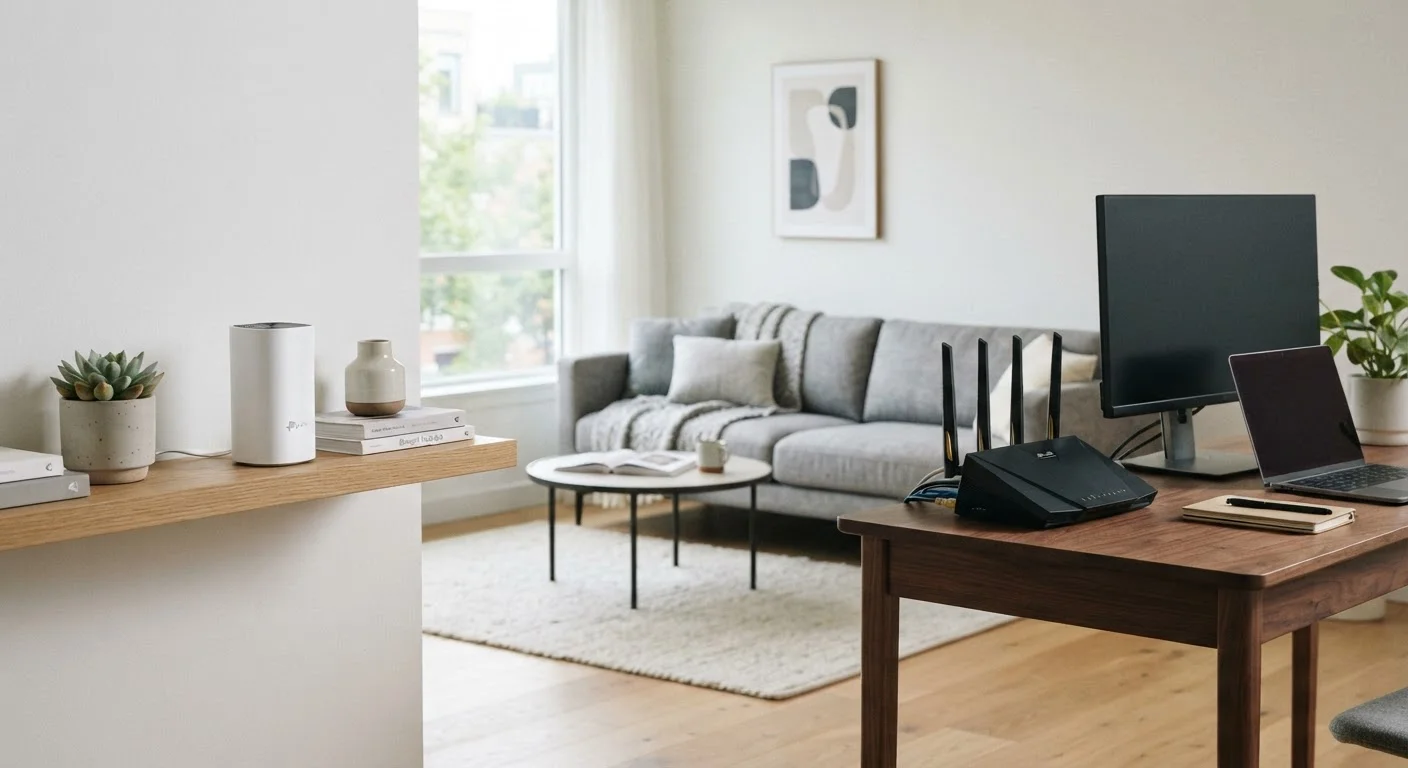
Photo credit: TopInfoTabs.com | Easy Insights For Inspiration
In this article
Mesh systems and extender setups both promise whole-home coverage. Learn what distinguishes them in practice before changing your network.
Key Takeaways
- Mesh systems use multiple coordinated nodes to eliminate dead zones across larger or multi-story homes.
- Traditional router-extender setups are generally less expensive upfront but can create inconsistent coverage and roaming issues.
- Mesh networks typically offer simpler management via a single app, while extender setups may require more manual configuration.
- Neither approach guarantees performance - home layout, wall materials, and ISP speeds all play a significant role.
- Upgrading to mesh makes the most sense for homes over roughly 1,500 sq ft or those with persistent dead zones.
How Each Approach Works
A traditional home network typically pairs a single router - connected to your modem - with one or more Wi-Fi extenders (also called repeaters or boosters) to push the signal further. Each extender picks up the router's signal and rebroadcasts it, usually creating a separate network name (SSID) that devices must manually switch to as you move around your home.
A mesh Wi-Fi system replaces that single-router model with a set of coordinated nodes, typically two to four units, that communicate with each other on a dedicated backhaul channel. From a user's perspective, every node broadcasts the same network name. Your phone or laptop hands off automatically between nodes as you move - similar to how your phone roams between cell towers. For a plain-language breakdown of these terms, see the Home Tech Glossary.
The fundamental difference is coordination. Mesh nodes are engineered to work as a unified system; extenders are add-ons that can amplify coverage but do not share intelligence with the router about which device should connect where.
Coverage, Roaming, and Real-World Performance
On paper, both approaches can cover the same square footage. In practice, the experience diverges in a few important ways.
Dead zones: Because mesh nodes are purpose-built to work together, they can be positioned to fill gaps methodically. Extenders work best placed halfway between the router and the dead zone - a placement that is often impractical given where outlets actually are.
Seamless roaming: Devices connected to a mesh system hand off between nodes without dropping the connection or requiring you to manually select a different network. With extenders broadcasting separate SSIDs, your phone or laptop may cling to a weaker extender signal rather than roaming to a stronger node - a common frustration for video calls or streaming.
Speed degradation: Most Wi-Fi extenders rebroadcast on the same radio band they receive on, which can roughly halve throughput. Tri-band mesh systems use one band exclusively for node-to-node communication (the backhaul), preserving more bandwidth for client devices. That said, a well-placed wired backhaul - connecting nodes via Ethernet - eliminates this concern entirely for either setup. If your home is already wired with Ethernet runs, both systems benefit substantially.
~50%
Potential speed loss from single-band extenders
Single-band extenders that receive and rebroadcast on the same radio can cut effective throughput roughly in half compared to a direct router connection.
1,500 sq ft
Common threshold where mesh outperforms extenders
Networking guidance broadly suggests mesh systems show clear reliability advantages in homes larger than approximately 1,500 square feet or those with multiple floors.
Setup, Management, and Ongoing Maintenance
Traditional routers often expose a detailed web-based admin interface - powerful for experienced users, but intimidating for those who just want working Wi-Fi. Adding an extender means configuring it separately, monitoring it separately, and troubleshooting it separately.
Mesh systems are almost universally managed through a smartphone app that treats the entire network as one entity. Firmware updates, device prioritization, and parental controls apply across all nodes simultaneously. This centralized model tends to reduce the friction of day-to-day management significantly.
Place Nodes Before You Commit
If possible, borrow or trial a mesh system before purchasing. Walk your home with a Wi-Fi analyzer app to identify signal strength at key points - bedrooms, home office, basement - and compare before and after placing nodes. Most major retailers offer return windows that make a real-world trial feasible. Positioning matters as much as the hardware itself.
One area to watch: mesh systems collect usage data through their apps by default in many cases. If network privacy matters to you, review the privacy policy before setup and disable optional data sharing where possible. For a deeper look at keeping your home network secure, the Smart Home Security Guide covers network segmentation and firmware habits in detail.
Cost and When to Upgrade
A capable dual-band extender can be found for under $50, while entry-level mesh systems typically start around $150-$250 for a two-node kit. Premium tri-band mesh systems with Wi-Fi 6 or Wi-Fi 6E support can run considerably higher. That cost difference is real, and for a small apartment or a single-story home under 1,200 square feet, an extender may genuinely meet the need.
The calculus shifts for larger homes, thick concrete or brick walls, or households with a growing number of smart home and IoT devices - see the Smart Home Ecosystems guide for context on how protocol choices interact with network demands. If persistent dead zones, dropped video calls, or devices that won't roam cleanly are recurring problems, the investment in a mesh system tends to pay back in daily frustration avoided.
| Mesh Wi-Fi System | Traditional Router + Extender | |
|---|---|---|
| Typical upfront cost | $150-$400+ for a kit | $30-$150 router plus $30-$80 per extender |
| Seamless roaming | Yes - single SSID, automatic handoff | Usually no - separate SSIDs, manual switching |
| Coverage scalability | Add nodes easily within the same system | Add extenders, but management grows complex |
| Speed loss across hops | Minimal with dedicated backhaul band | Can halve speeds on single-band extenders |
| Management interface | Centralized smartphone app | Separate interfaces per device |
| Best home size | 1,500+ sq ft, multi-story | Under 1,200 sq ft, single-story |
Before upgrading either setup, it's worth confirming your ISP plan speed actually matches what your current router can deliver - swapping hardware rarely fixes a bandwidth bottleneck at the modem or the plan level. Similarly, cellular home internet via 5G is now an alternative worth understanding; the 5G overview explains what that shift does and doesn't change for everyday users.

Author
Tech & Gadgets Editorial Team
Tech & Gadgets Editorial Team is the collective byline for our editorial team and contributor network. Articles published under this byline or an editorial pen name are researched, written, and reviewed according to our editorial standards for clarity, consistency, and independence before publication.
View all articles →