
Tablet or Laptop: Choosing the Right Screen for How You Actually Work
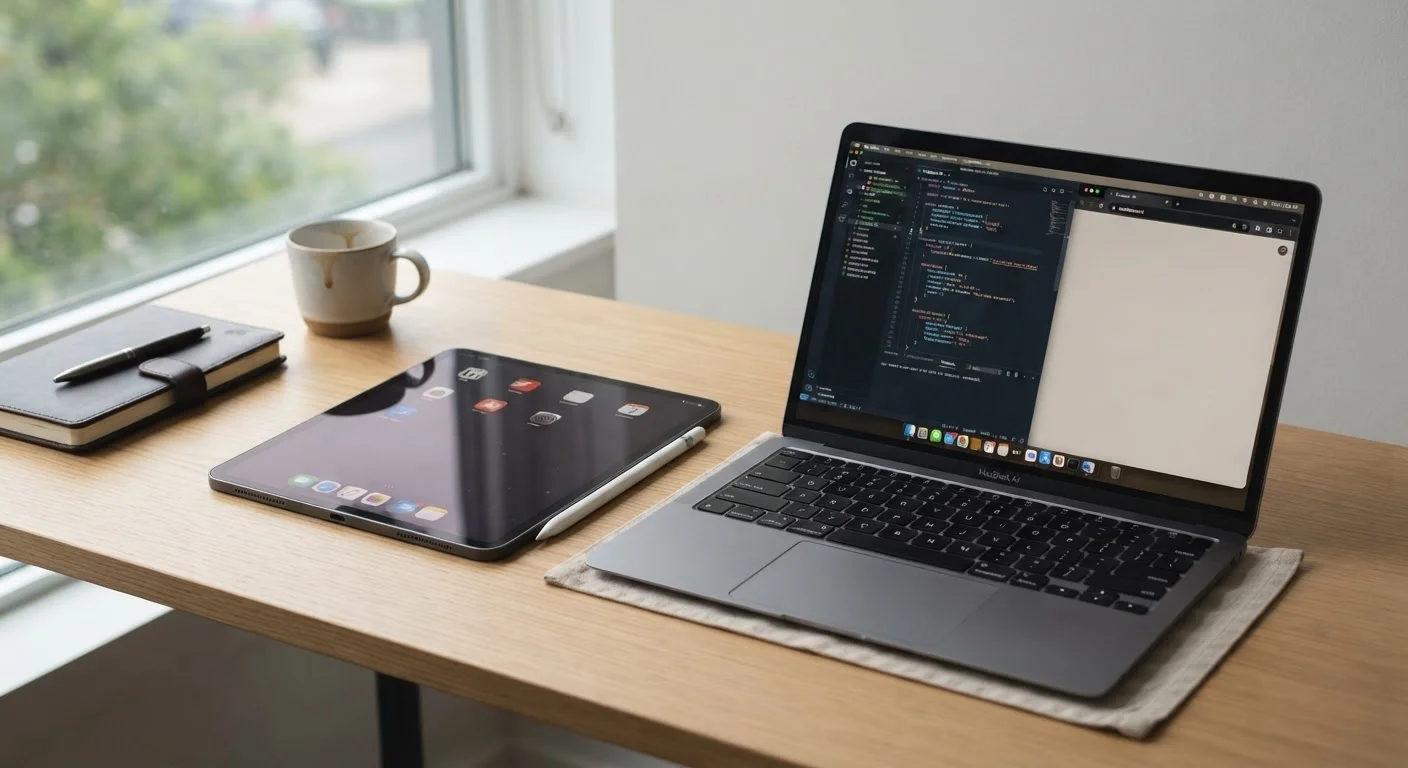
Photo credit: TopInfoTabs.com | Easy Insights For Inspiration
In this article
Tablets have closed the gap with laptops, but they're still not interchangeable. Weigh the real-world trade-offs before making a decision.
Key Takeaways
- Tablets excel at portability, media consumption, and touch-first tasks but have real limits for complex workflows.
- Laptops remain the stronger choice for multitasking, file management, and software that demands a full OS.
- Keyboard-equipped tablets blur the line but still differ from laptops in meaningful ways.
- Your primary use case - not specs or price - should drive the decision.
- Many users benefit most from understanding what each form factor cannot do, not just what it can.
The Gap Has Narrowed - But It Hasn't Closed
Tablets have come a long way. Many now run desktop-class processors, support external keyboards and mice, and handle productivity applications that would have felt absurd on a touch screen five years ago. But narrowing the gap is not the same as eliminating it. The honest answer for most people is: it depends on what you do, not what the spec sheet says.
If you're trying to sort out which form factor genuinely fits your life, the comparison below lays out the dimensions that actually matter day to day. For a deeper look at the laptop side of that equation, our ground-up laptop introduction breaks down specs and operating systems without the marketing noise.
| Tablet | Laptop | |
|---|---|---|
| Portability | Lighter, thinner, easier to carry | Heavier; varies by form factor |
| Typing experience | Keyboard cases are functional but limited | Full keyboard with better ergonomics |
| Multitasking | Improving, but OS constraints remain | Full windowed multitasking available |
| Software compatibility | Mobile/tablet app ecosystem | Full desktop software library |
| Touch & stylus input | Native, intuitive, precise | Possible with add-ons, less natural |
| Battery standby life | Typically longer in standby | Shorter standby; varies widely |
| Peripheral connectivity | Limited ports; adapters often needed | More built-in port variety typical |
| File management | Constrained by OS design | Full file system access |
Where Laptops Still Have the Upper Hand
For work that involves juggling multiple applications, managing large file systems, or running software with no mobile equivalent, laptops remain the more capable tool. A full operating system - Windows, macOS, or a Linux distribution - gives you genuine multitasking: draggable windows, robust file explorers, and compatibility with virtually any professional application.
Keyboard ergonomics matter too. Even a well-designed tablet keyboard case is a compromise: shorter key travel, less stable base, no integrated trackpad precision. If you write thousands of words a week or navigate dense spreadsheets, that friction adds up. A well-configured home workstation built around a laptop also opens up ergonomic accessories - external monitors, proper keyboards, adjustable stands - in ways that tablet setups rarely match cleanly.
Don't Assume a Keyboard Case Makes a Tablet a Laptop
Adding a keyboard to a tablet improves its versatility, but it doesn't eliminate the underlying OS limitations. App availability, file management workflows, and external display support can all behave differently than they would on a full desktop operating system. Evaluate the software you specifically need before assuming the combined setup will cover everything a laptop would.
Where Tablets Genuinely Win
Portability is where tablets make an unarguable case. Their lighter weight, longer typical battery life in standby, and instant-on behavior make them natural companions for commutes, travel, and reading-heavy workflows. A tablet slips into a bag with no second thought; a laptop always demands a decision about whether it's worth the weight.
Touch and stylus input also open workflows that laptops simply cannot replicate without additional hardware. Annotating PDFs, sketching wireframes, or signing documents feels intuitive on a tablet in a way that mouse-driven interfaces never quite match. Display quality is another area worth considering - understanding what screen resolution actually means helps put tablet and laptop panels in honest perspective, especially when marketing terms like "Liquid Retina" or "AMOLED" obscure more than they reveal.
Parents considering a tablet for a child should note that setup matters significantly. Our parent's setup checklist covers content filters, screen time controls, and privacy settings before handing a device over.
Try Before You Commit to a Keyboard Case
If you're leaning toward a tablet for productivity, spend time with a keyboard case before settling on a form factor. Key travel, palm rest space, and trackpad accuracy vary significantly across different designs. A brief hands-on session will reveal whether the typing experience meets your daily threshold far more reliably than any spec sheet.
Making the Call: Questions That Actually Help
Rather than defaulting to specs, work through these practical questions:
- What software do you need? If your workflow depends on applications only available on a full OS, a laptop is likely non-negotiable.
- How much do you type? Occasional notes are fine on a tablet. Long-form daily writing is significantly more comfortable on a dedicated keyboard.
- Do you move constantly or mostly work from one spot? Frequent travel tips the scales toward a tablet; a stationary desk setup often favors a laptop.
- Do you need to connect peripherals? Laptops typically offer more versatile port options. Check our pre-purchase checklist for the connectivity questions worth asking.
For those deciding between a laptop and a desktop rather than a tablet, our laptop vs. desktop comparison examines performance, upgradability, and cost across those two form factors. And if you're exploring everything in the computers and accessories space, that hub is a useful starting point for organizing your research.
~55%
Tablet users who also own a laptop
Industry surveys consistently show most tablet owners use a laptop or desktop as their primary computing device, treating tablets as companions rather than replacements.
8-12 hrs
Typical tablet active battery life
Most mid-to-high-tier tablets achieve 8 to 12 hours of screen-on use, generally outperforming comparably priced thin-and-light laptops in active use.

Author
Tech & Gadgets Editorial Team
Tech & Gadgets Editorial Team is the collective byline for our editorial team and contributor network. Articles published under this byline or an editorial pen name are researched, written, and reviewed according to our editorial standards for clarity, consistency, and independence before publication.
View all articles →